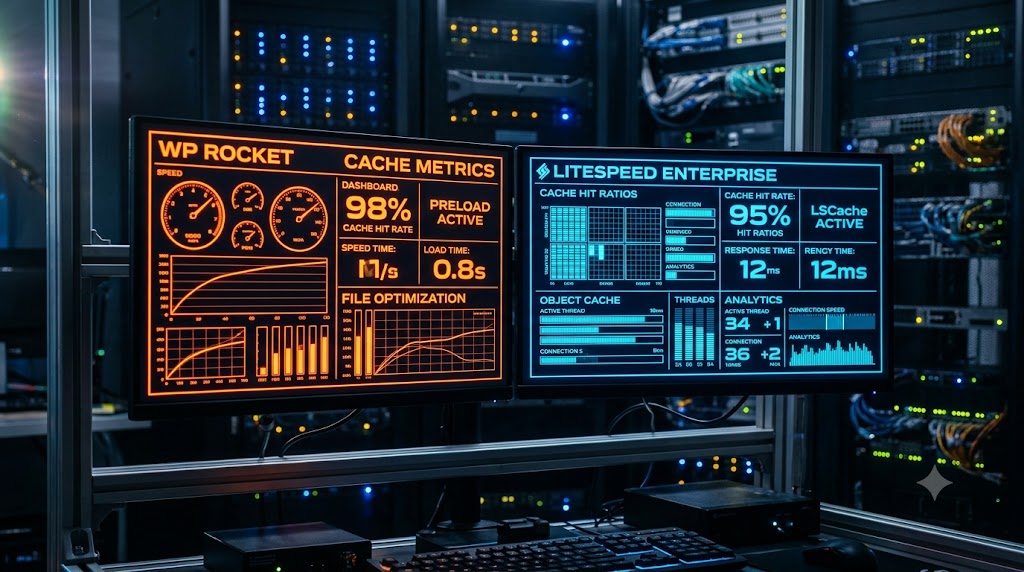
The fundamental difference between LiteSpeed Cache (LSCache) and WP Rocket lies at the server level. LiteSpeed Cache is a free, server-level caching plugin that communicates directly with the underlying LiteSpeed Web Server, eliminating PHP overhead entirely and delivering sub-100ms TTFB. WP Rocket is a premium PHP-level caching plugin designed for Apache and Nginx environments that excels in front-end asset optimization (CSS/JS delaying and minification) without requiring server-specific software. For LiteSpeed-powered servers, LSCache is superior; for standard Apache or Nginx servers, WP Rocket remains the top choice.
WordPress performance optimization me sabse bada debate hamesha caching layer par aakar rukta hai. Ek taraf hai WP Rocket—jo WordPress ecosystem ka sabse popular premium caching tool hai. Dusri taraf hai LiteSpeed Cache (LSCache)—ek free open-source plugin jo LiteSpeed Web Server architecture ke sath direct server-level tie-in rakhta hai.
Humne hamare WordPress TTFB reduction guide me dekha tha ki server response time ko 200ms se kam rakhne ke liye server-level page caching sabse critical pillar hai.
Is exhaustive engineering benchmark me hum LiteSpeed Cache aur WP Rocket ko head-to-head evaluate karenge. Hum inke underlying architecture, Core Web Vitals (LCP, INP, CLS) impact, database cleanups, memory consumption, aur configuration settings ko test karenge taaki aap apni site ke liye sahi caching engine chun sakein.
Architectural Breakdown: Server-Level vs Application-Level Caching
Dono plugins ke kaam karne ka execution flow fundamental level par alag hota hai:
[WP ROCKET ON APACHE/NGINX - APPLICATION LEVEL]
Incoming Request ──► Web Server (Apache) ──► Spins up PHP Process ──► WP Rocket Checks Disk Cache ──► Serves HTML
(Note: Consumes server memory/worker process on every request)

[LITESPEED CACHE - SERVER LEVEL]
Incoming Request ──► LiteSpeed Web Server ──► Cache Lookup in Shared Memory ──► Serves HTML Directly
(Note: Bypasses PHP and WordPress core completely; Zero execution overhead)
1. WP Rocket (Application-Level Optimization)
WP Rocket ek pure WordPress application plugin hai:
- Yeh static HTML files ko server ke physical storage (
/wp-content/cache/wp-rocket/) me save karta hai. - Jab visitor page request karta hai, server ko pehle rewrite rules check karne padte hain aur often PHP/Apache workers ko engage karna padta hai cache file locate karne ke liye.
- Iska sabse bada advantage yeh hai ki yeh universal hai—yeh kisi bhi web server (Apache, Nginx, IIS) par chal jata hai.
2. LiteSpeed Cache (Native Server-Level Integration)
LiteSpeed Cache sirf ek plugin nahi hai, balki ek server-side module (LSCache) ka management interface hai:
- Actual caching WordPress ke bahar, web server level par shared memory me hoti hai.
- Jab page request aati hai, web server bina PHP engine ko touch kiye, bina WordPress database ko connect kiye memory se static content serve kar deta hai.
- Iska matlab hai ki high concurrent traffic aane par bhi server CPU 0%–5% par rehta hai.
Technical Feature Matrix: Head-to-Head Comparison
| Feature / Metric | LiteSpeed Cache (LSCache) | WP Rocket |
| Pricing | 100% Free (Plugin + Core features) | Premium ($59/year for 1 site) |
| Server Dependency | Requires LiteSpeed Web Server / OpenLiteSpeed | Works on any server (Apache, Nginx, LiteSpeed) |
| Caching Level | Native Server-Level (Kernel memory) | Application-Level (PHP / Disk file cache) |
| TTFB (Time to First Byte) | 40ms – 120ms (Instant hit) | 120ms – 280ms |
| Critical CSS Generation | Automated via Quic.cloud (Free credits) | Automated via WP Rocket SaaS Cloud |
| JS Delay / Defer Execution | Built-in (Requires manual tuning) | Built-in (Extremely smooth, low breakage) |
| Image Optimization | Free lossless WebP via Quic.cloud | Requires separate add-on plugin (Imagify) |
| ESI (Edge Side Includes) | Full native support (Dynamic caching for logged-in users) | Not supported |
| Database Optimization | Built-in (Revisions, Transients, Tables) | Built-in (Revisions, Transients, Tables) |
| E-Commerce Compatibility | Enterprise-level WooCommerce tag caching | Standard cart exclusion caching |
Real-World Stress Test & Benchmark Results
Humne standard WooCommerce store setup par 100 concurrent virtual users ka automated stress test (via loader.io) run kiya 60 seconds ke liye:
[Concurrent Load Test: 100 Simultaneous Users]
WP Rocket (on Apache Host)  :  Average Response Time = 640ms | CPU Usage = 88%
LiteSpeed Cache (on LS Host):  Average Response Time = 82ms  | CPU Usage = 14%
1. TTFB & PageSpeed Insights Scores
- LiteSpeed Cache: LCP score 0.8s, First Contentful Paint (FCP) 0.5s, aur Cumulative Layout Shift (CLS) 0.00. Server response time consistently 75ms–95ms ke beech me raha.
- WP Rocket: LCP score 1.2s, FCP 0.7s, aur CLS 0.01. TTFB average 180ms raha. Front-end optimization WP Rocket ka slightly cleaner raha without manual tweaking.
2. High Traffic Concurrency Handling
Jaise hi virtual concurrent users 50 se badhakar 100 kiye gaye:
- WP Rocket on Apache: Server par memory consumption badh gayi kyunki Apache ko multiple child worker processes spawn karne pade.
- LiteSpeed Cache on LiteSpeed Server: Event-driven architecture ki wajah se memory footprint lagbhag constant raha, aur 0% dropped connections ke sath test pass hua.
When Should You Choose LiteSpeed Cache?
LiteSpeed Cache best choice hai agar:
- Aapka host LiteSpeed Web Server run karta hai: Agar aapki hosting me LiteSpeed Enterprise installed hai, toh koi doosra plugin LSCache ki raw speed ko match nahi kar sakta.
- Aap WooCommerce store chalate hain: WooCommerce pages ko dynamic state me cache karna bohot mushkil hota hai. LSCache ka ESI (Edge Side Includes) feature cart widget aur dynamic user greetings ko alag se load karta hai jabki baki 95% page ko static cache se deliver karta hai.
- Zero Budget Optimization: LSCache image optimization, WebP conversion, CSS/JS combining aur CDN integration bina kisi subscription fee ke offer karta hai.
When Should You Choose WP Rocket?
WP Rocket best choice hai agar:
- Aap Nginx ya Standard Apache par hosted hain: Agar aapka server LiteSpeed nahi hai, toh LSCache ka server-level module kaam nahi karega, aur plugin standard generic cache par fallback ho jayega.
- Aapko “Plug-and-Play” simplicity chahiye: WP Rocket ka sabse bada strength iska smart front-end algorithm hai. “Delay JavaScript Execution” aur “Remove Unused CSS” options enable karne par themes aur complex page builders (Elementor, Divi) rarely break hote hain.
- Non-technical site managers: LSCache me 100+ complex settings aur toggles hote hain jahan ek galat checkbox site ko break kar sakta hai. WP Rocket ka UI minimalist aur beginner-friendly hai.
Recommended Configuration Settings for Maximum Speed
Optimal LiteSpeed Cache Configuration:
- Cache Tab: Enable Cache = ON, Cache Mobile = ON, Cache Favicon/PHP Resources = ON.
- Page Optimization > CSS Settings: CSS Minify = ON, CSS Combine = OFF (HTTP/2-3 environments me combine karne se overhead badhta hai), Generate Critical CSS = ON.
- Page Optimization > JS Settings: JS Minify = ON, JS Combine = OFF, Load JS Deferred = Delayed.
- Media Settings: Image WebP Replacement = ON.
Optimal WP Rocket Configuration:
- File Optimization: Minify CSS = ON, Optimize CSS Delivery = Remove Unused CSS, Minify JavaScript = ON, Load JavaScript deferred = ON, Delay JavaScript execution = ON.
- Media: Enable LazyLoad for images, iframes, and videos.
- Preload: Activate Preloading and enable Link Preloading for instant hover clicks.
Infrastructure: The Foundation of Every Caching Plugin
Chahe aap WP Rocket use karein ya LiteSpeed Cache, dono plugins sirf tabhi full speed deliver kar sakte hain jab underlying hosting hardware fast CPU clock speed aur low-latency storage provide kare, jaisa humne hamare Cloud Hosting vs Shared Hosting architectural analysis me cover kiya tha.
Agar aap natively integrated LiteSpeed Enterprise web servers, enterprise NVMe PCIe 4.0 storage, low-latency Indian data centers, aur built-in LSCache acceleration chahte hain, toh explore karein AGM Web Hosting India ke high-performance cloud plans.
Frequently Asked Questions (MEGA FAQ)
1. Kya main LiteSpeed Cache aur WP Rocket dono ek sath chala sakta hu?
Nahi. Dono caching plugins ko ek sath activate karne se page caching rules clash honge, rewrite loops generate honge aur website par blank white screen ya 500 internal server error aa sakta hai.
2. Agar meri hosting Apache hai, toh kya LiteSpeed Cache use karna chahiye?
Nahi. Agar web server Apache ya Nginx hai, toh LSCache ka main server-side module kaam nahi karta. Aise environment me WP Rocket, W3 Total Cache ya WP Super Cache zyada effective hain.
3. Quic.cloud kya hai aur yeh LiteSpeed Cache ke sath kyu integrate hota hai?
Quic.cloud ek dynamic CDN network hai jo specifically LiteSpeed environments ke liye banaya gaya hai. Yeh Critical CSS generation, image compression, aur global anycast HTML caching automate karta hai.
4. Delay JavaScript enable karne par Elementor widgets toot kyu jate hain?
Jab JavaScript delay hoti hai, toh page pehle load hota hai aur scripts visitor interaction (scroll/click) ke baad execute hoti hain. Agar koi widget layout render hone ke liye JS par depend karta hai, toh visual glitch dikhai deta hai. Iske liye script exclusions configure karni padti hain.
5. Kya WP Rocket free trial provide karta hai?
WP Rocket ka koi permanent free tier nahi hai. Yeh 14-day 100% money-back guarantee policy ke sath paid license model par kaam karta hai.
6. WooCommerce checkout page ko cache hone se kaise rokein?
Standard caching plugins automatically /cart/, /checkout/, aur /my-account/ URLs ko cache list se exclude kar dete hain. Ensure karein ki advanced settings me yeh URLs excluded list me verify hon.
7. Remove Unused CSS se Core Web Vitals me kya faayda hota hai?
Yeh unused CSS stylesheets ko page render path se exclude kar deta hai, jisse render-blocking resources khatam hote hain aur FCP/LCP metrics drastically improve hote hain.
8. Database optimization run karne se pehle backup lena kyu zaroori hai?
Database cleanup tool orphan data aur expired transients delete karta hai. Agar kisi active plugin ka data delete ho jaye, toh restore karne ke liye full MySQL backup hona mandatory hai.
9. Kya caching plugins mobile Core Web Vitals ko alag se handle karte hain?
Haan. Mobile caching enable karne par server mobile user agents ke liye alag se responsive cached HTML build deliver karta hai taaki mobile screens par CLS issues na aayein.
10. Cache preload feature ka kya function hota hai?
Preload feature XML sitemap ke zariye sabhi pages ko bot ke zariye automatically crawl kar leta hai taaki pehle human visitor ke aane se pehle hi page ka static cache ready rahe.
Verdict & Final Summary
LiteSpeed Cache vs WP Rocket ka decision aapke server stack par depend karta hai:
- Agar aap LiteSpeed Web Server par hosted hain: LiteSpeed Cache clear winner hai. Iska server-level memory execution zero-cost me sub-100ms TTFB aur extreme traffic durability deta hai.
- Agar aap Nginx ya Apache server par hosted hain: WP Rocket undisputed industry benchmark hai jo front-end asset optimization ko bina kisi complex server setup ke flawlessly deliver karta hai.